article

Dream it up, then add it to your design. Watch your words and phrases transform into beautiful images with the best AI image generators available at y
Free Online AI Image Generator
Dream it up, then add it to your design. Watch your words and phrases transform into beautiful images with the best AI image generators available at your fingertips. Stand out with an image perfect for your project.
Generate AI Images(opens in a new tab or window)
<iframe class="ql-video" src="https://player.vimeo.com/video/871698916" frameborder="0" allowfullscreen>
background=false&autoplay=false&muted=true&loop=true&autopause=false&dnt=true&controls=false" class="Nt7f9A" frameborder="0" title="Preview of Magic Media: Free AI Image Generator" style="grid-area: 1 / 1; height: 679.5px; width: 1208px;">
Introducing Canva’s AI Image Generators
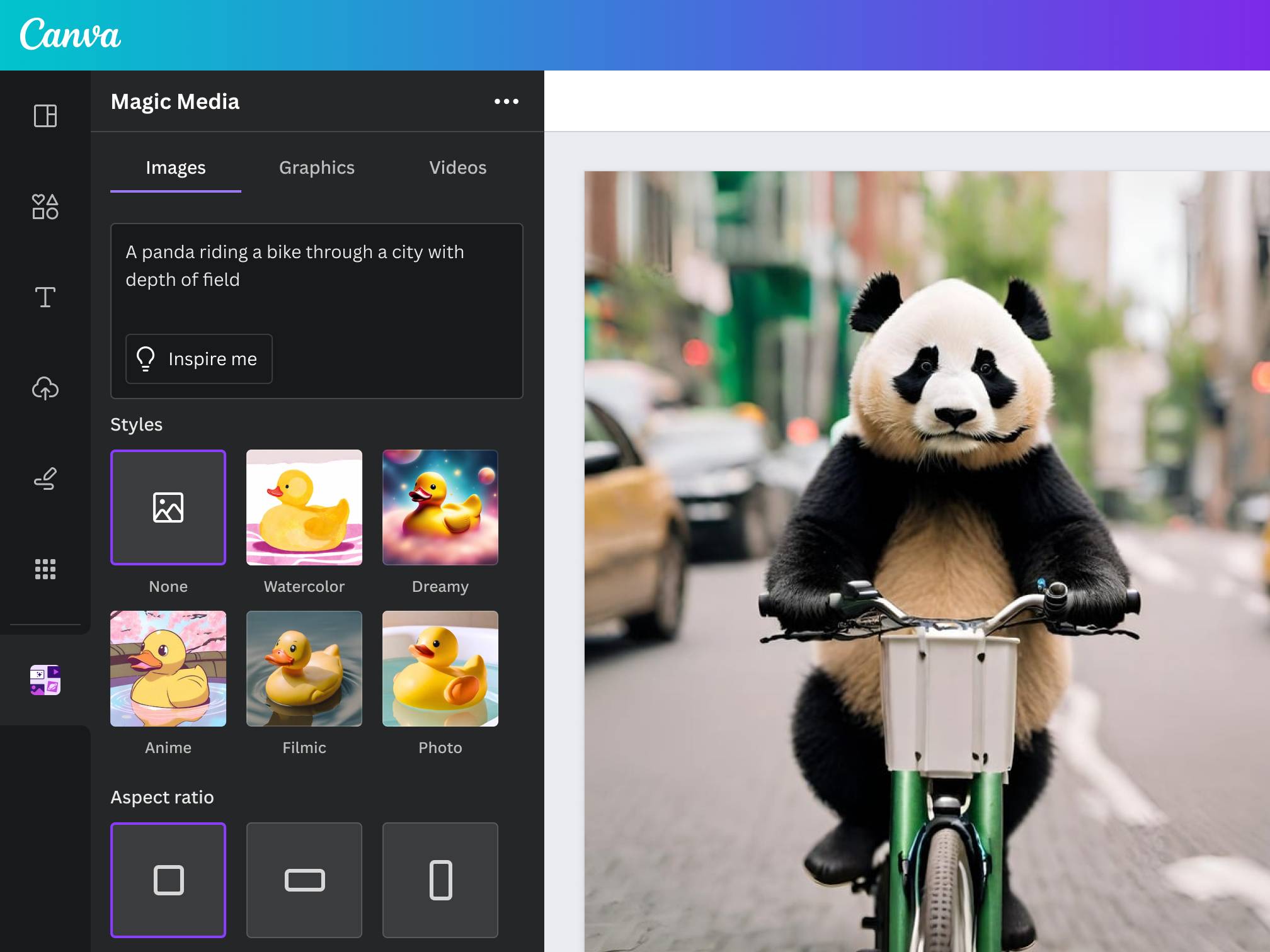
Canva's range of AI image generators means the perfect image is always at your fingertips—even if it doesn't exist yet. Create images that visualize a product or idea, sketch out a creative concept, or push the limits of what's possible. Simply select your favorite AI image generator, whether that be Magic Media, DALL·E by Open AI, or Imagen by Google Cloud, from our wide range of Canva's AI tools.
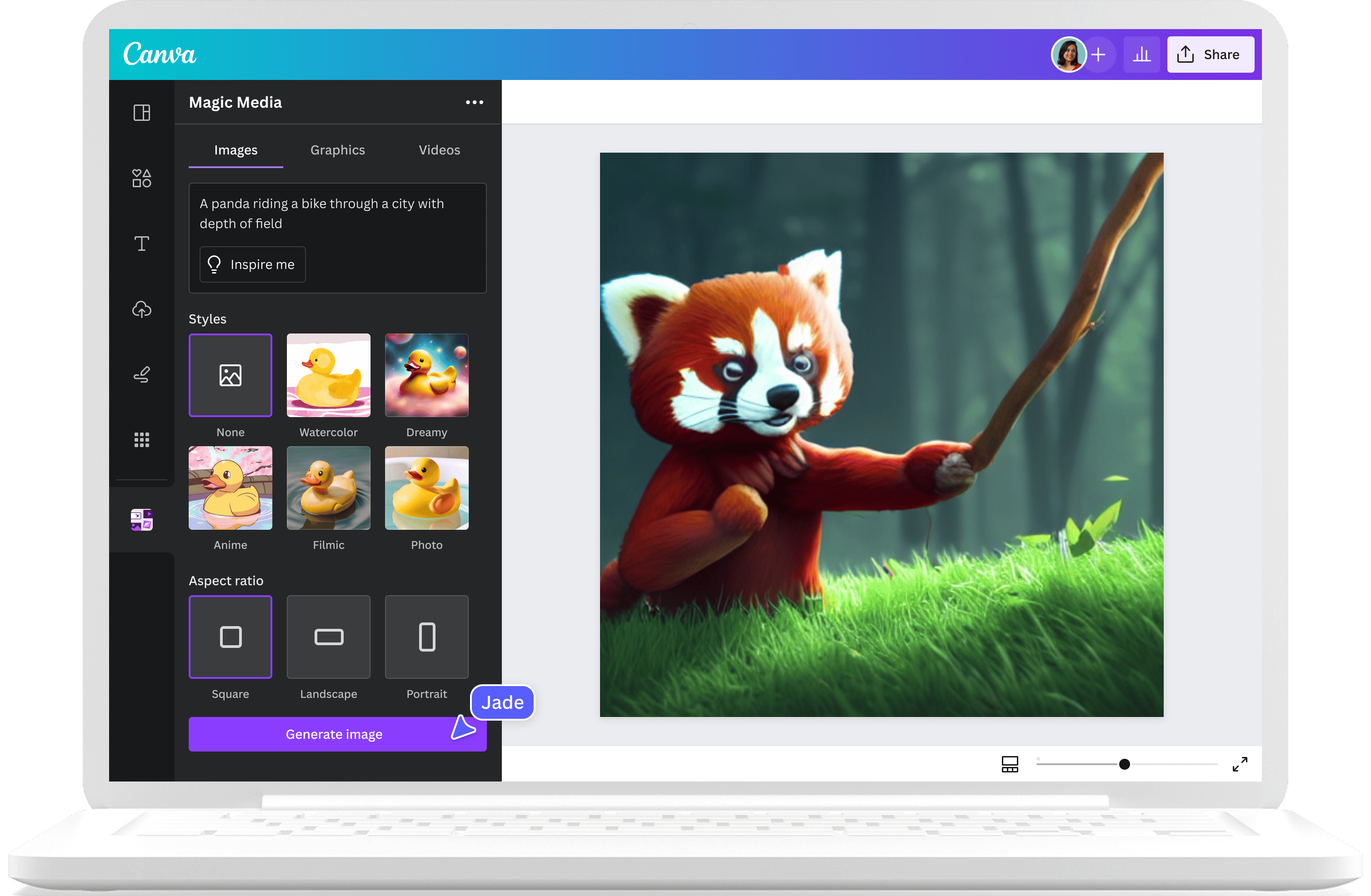
Type your text prompt: “A panda riding a bike through a city with depth of field.” Watch your words and phrases transform into beautiful images you can use on any of your creative projects, like presentations or social media posts.
Generate AI Images(opens in a new tab or window)
Choose your image style with Text to Image
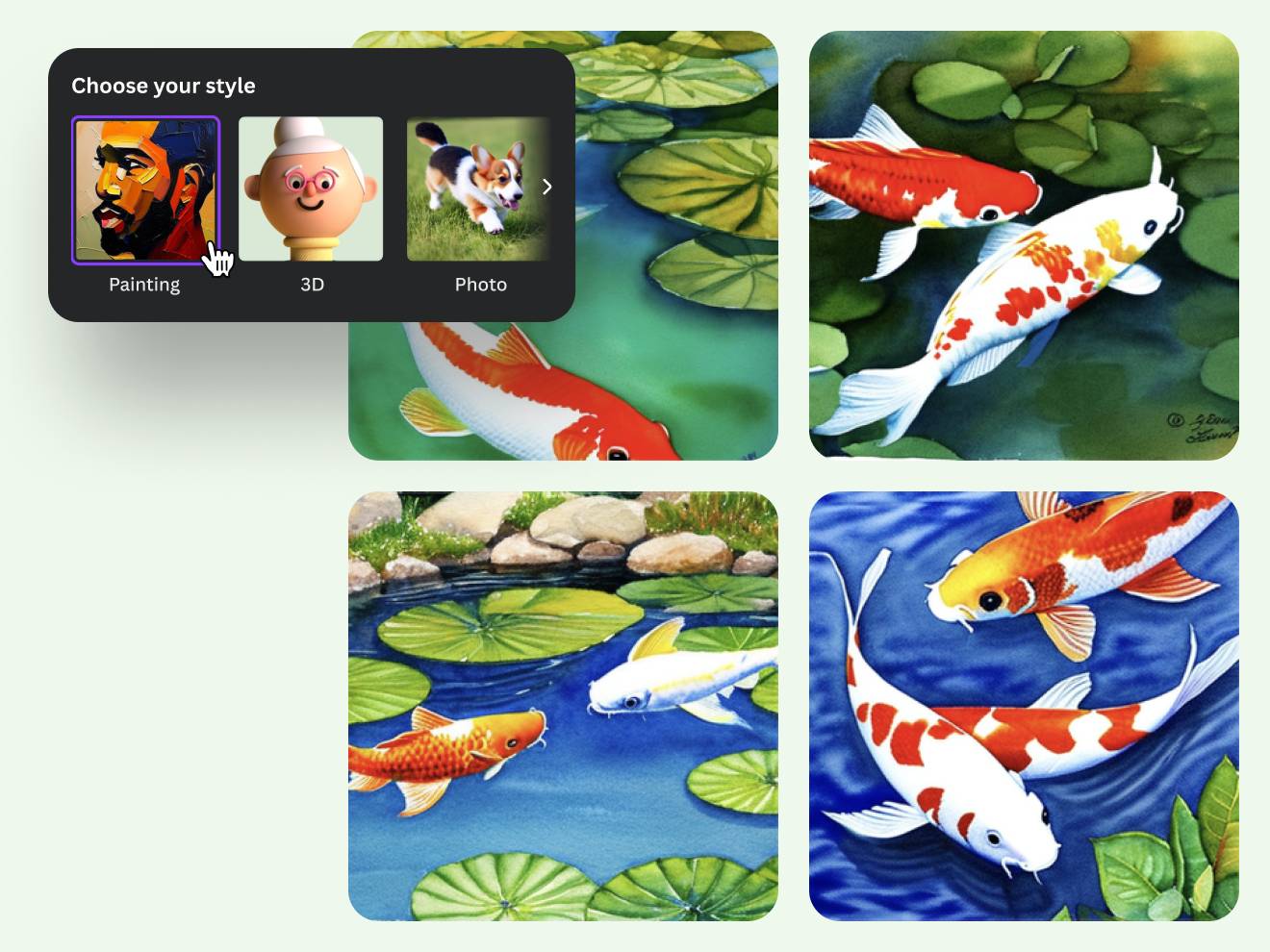
Experimentation is a big part of creation. Test out different modes for your AI-generated images with Magic Media’s Text to Image, using our style options like Watercolor, Filmic, Neon, Color Pencil, and Retrowave. Choose a specific style and aspect ratio to match the concept you’re going for. With our AI photo generator, easily turn text prompts into art that captures your thoughts and presents options you can place on your poster or storyboard.
People using a Canva Free account can use Text to Image up to 50 times in a lifetime. People with a Canva Pro, Teams, EDU, and NFP subscription can use Text to Image up to 500 times per person per month.
Generate AI Images(opens in a new tab or window)
Create captivating designs with Magic Media™
Transform ideas into images
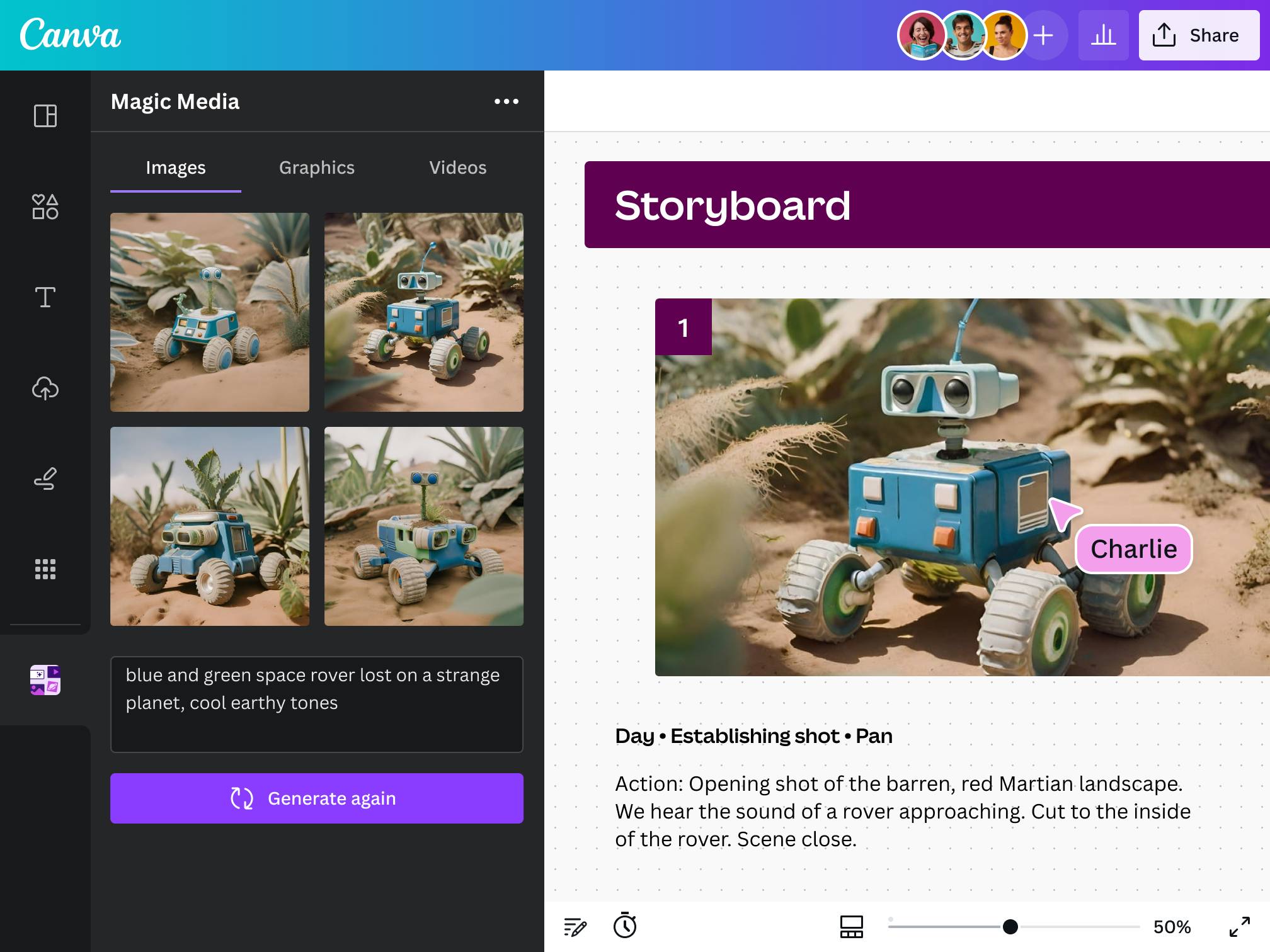
With Magic Media’s Text to Image, you can start with a text prompt and generate an image that fits your design. Customize your image with various styles, ratios, and all the photo editing tools available in Canva.

Find the perfect graphic for any project
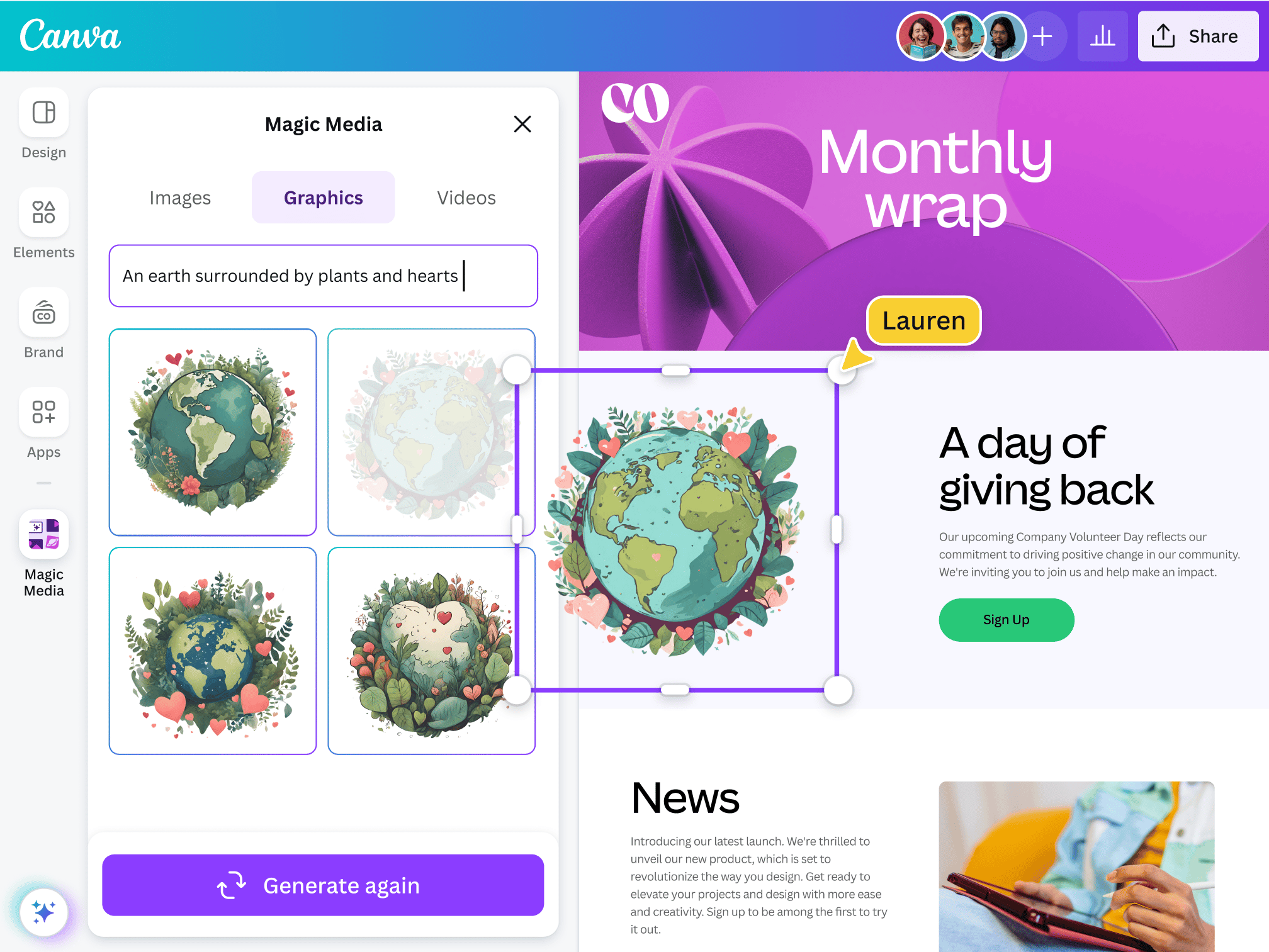
Magic Media’s Text to Graphic gives you the confidence you’ll always find the perfect graphic for your project. Describe your vision, and it'll generate unique graphics, icons, stickers, and illustrations matching your style or brand.

Storytelling made easy with AI-generated videos
Describe your video with a simple text prompt, and watch as Magic Media’s Text to Video generates it for you. Customize it further with video filters, transitions, and more.
Generate AI Images(opens in a new tab or window)
Explore our AI image generator tools
Magic Media: Canva’s AI image generator lets you choose image variations based on a preferred look and composition. Generate up to 50 images on a Free subscription, or upgrade to Canva Pro for 500 uses per user per month.
DALL·E by Open AI: With the DALL·E image generator, create realistic imagery from descriptions. Access up to 6 free uses, upgrade to Canva Pro for 50 uses per user per month.
Imagen by Google Cloud: Imagen, Google Cloud’s AI image generation tool, lets you generate novel images from input text. Get up to 6 free uses per month. Upgrade to Canva Pro for 50 uses per user per month.
Generate AI Images(opens in a new tab or window)
Creating is fun and safe
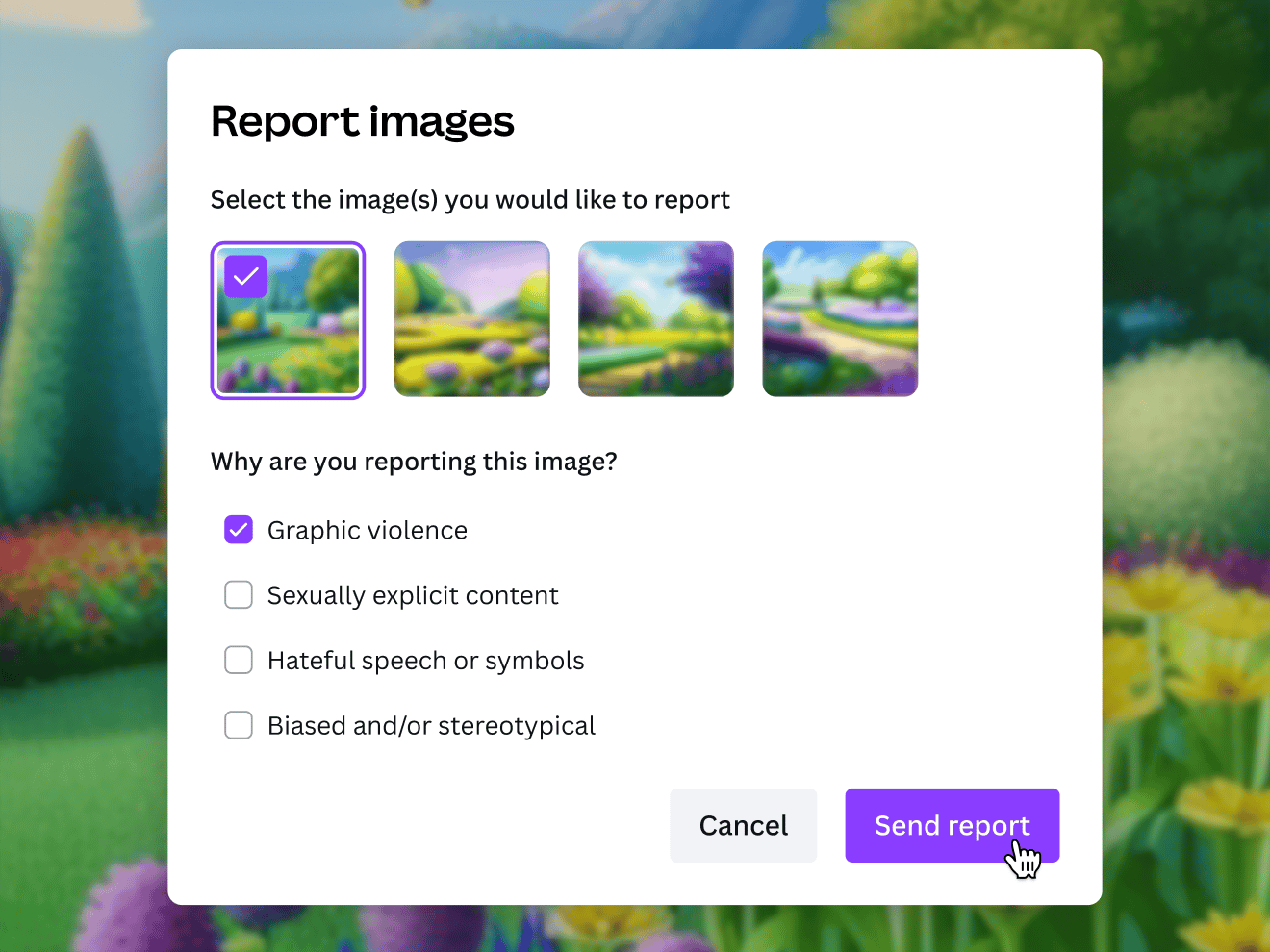
Fun is at the core of building new visual ideas. Add your creativity, and our free AI art generator will kickstart your concepts and let artful inspiration flow. To help you use Text to Image safely and responsibly, we’ve put layers of safety measures in place, including automated reviews of input prompts for terms that might generate inappropriate content. If you do come across unsafe content, let us know: you can report it right in Canva.
Generate AI Images(opens in a new tab or window)
AI-generated images for all creatives
For content creators
Stand out and grow your audience with perfectly tailored content.

For entrepreneurs
Generate captivating branding materials in a cost-efficient way.
For budding artists
Experiment and get inspiration while embarking on a creative project.
All the photo editing features you need
Canva’s free drag-and-drop design tools make it easy to create any design, fast!
Generate images from text
Create AI images that visualize a product or idea, draft a creative concept, or push the limits of what's possible.

Various art styles available
Render your AI-generated images in stunning art styles like Watercolor, Filmic, Neon, Color Pencil, Retrowave, and more.

Magic Edit
Want to enhance the color or texture of an object? Or change the photo background? Magic Edit lets you add to, replace, or edit your image with a short written prompt.
Magic Eraser (Pro)
Instantly clean up your image and remove any unwanted distractions with Magic Eraser—no manual editing needed.

Enhance your images
Use Canva’s Photo Editor to fix your photo’s focus, lighting, and coloring with easy-to-use sliders.

Photo effects & filters
Choose from our selection of adjustable color filters and fun photo effects to remix your photo.
Add Text to Photo
Easily add text to your photo or image to tell a story. Font combinations, colors, and styles available.

One-click background remover (Pro)
Remove image backgrounds, perfect for product photos, headshots, or transparent PNGs.
Automatically translate your design
With Translate, quickly change the language of your existing design, with over 100 languages to choose from.
Millions of free images, icons, and graphics
Get access to our entire library of millions of photos, icons, graphics, media elements, audio, sound effects, and more.
Access anywhere and autosave
Jump from device to desktop—design how you work best! Canva autosaves your progress along the way.

Easy sharing and exporting tools
Spread the word with easy sharing and exporting options, including as a JPG, PNG, or PDF.

Cloud storage
Get free 5GB storage or upgrade to Canva Pro and get unlimited folders with up to 100GB storage for all your designs.

Real-time collaboration
Create, collaborate, and get everyone on the same page, at the same time, from anywhere.

Content planner (Pro)
Create and schedule content to your favorite social media accounts directly from Canva.
How to make AI-generated images
Start a design project from scratch or with a template. On the editor, go the sidebar and click “Elements,” and select “Magic Media.” Or, select “Apps” on the sidebar and choose one of our other AI image generators, like DALL·E by OpenAI or Imagen by Google Cloud.
Describe the image you’d like to generate. The more detail you can provide, the better.
If using Magic Media’s Text to Image, you can also choose an image style from our available options like Watercolor, Filmic, Neon, Color Pencil, and Retrowave. Then, click ‘Create your image.’
Finish up the AI-generated image by adding effects, filters, and other elements from our library.
Download your AI-generated images, use them on your other Canva projects, or share them directly from Canva on your online platforms.
Start generating AI images(opens in a new tab or window)